


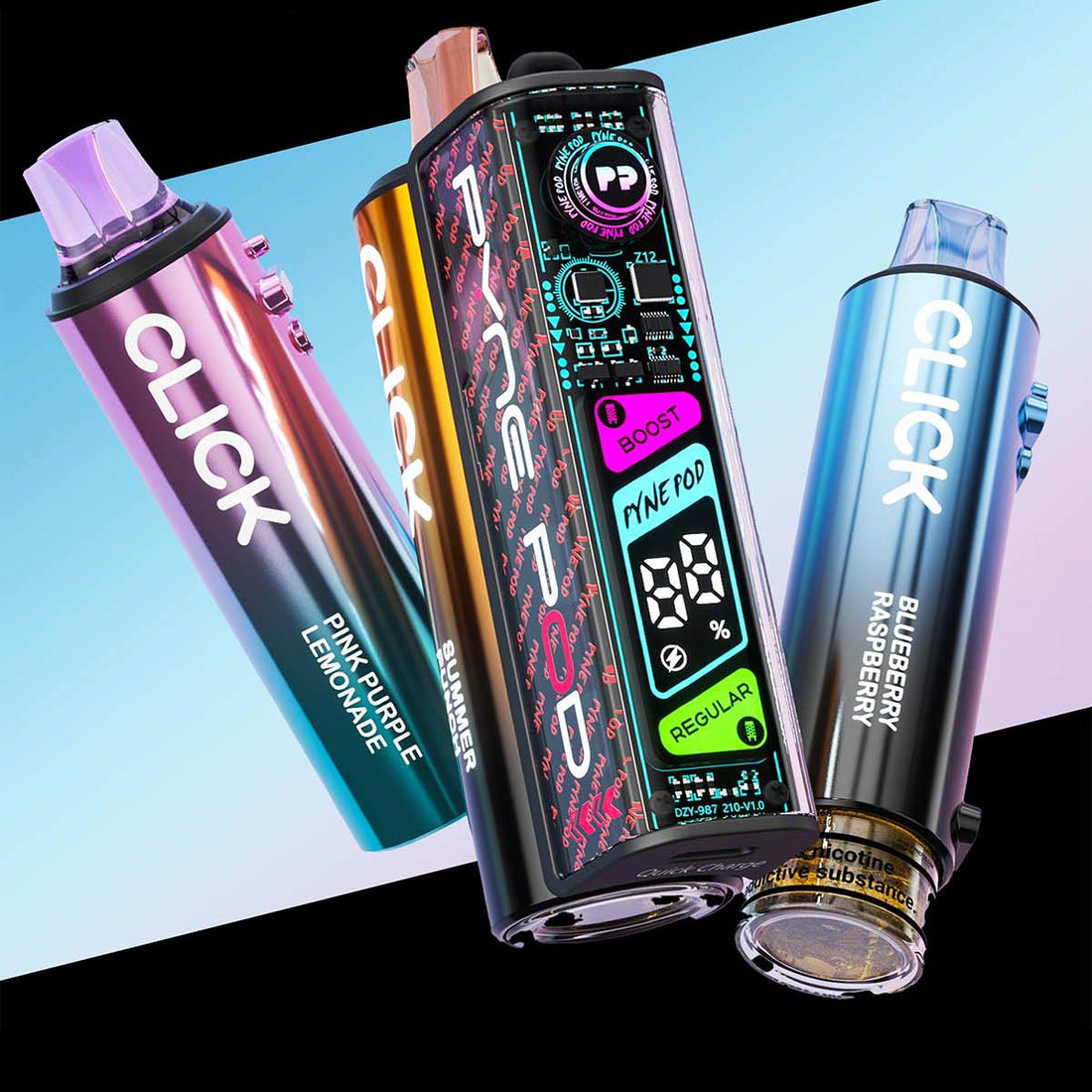
In the fast-evolving world of vaping, the Pyne Pod series—including the fan-favourite Pyne Pod Click 50K and the new Pyne Pod Click S 30K—has carved out a reputation for power and versatility. But are you truly getting the most out of your device?
The secret lies in mastering the Dual Power Modes. Whether you're chasing the ultimate flavour explosion or trying to make your pod last until payday, understanding the difference between Regular Mode and Boost Mode is essential.
In this guide, we’ll break down how to toggle settings, the science behind the wattage, and how to optimize your Pyne Pod for peak performance.
1. The Technical Breakdown: 10W vs. 20W
At its core, the Pyne Pod is a high-tech delivery system with two distinct "personalities." By switching modes, you are essentially telling the internal chip to change the wattage delivered to the dual mesh coils.
| Feature | Regular Mode | Boost Mode |
| Wattage | 10W (Smooth & Steady) | 20W (Intense & Warm) |
| Indicator | Green Light / "REGULAR" on OLED | Pink Light / "BOOST" on OLED |
| Vapour Volume | Standard | Significantly Increased |
| Flavour Profile | Balanced | Concentrated & Warm |
| Battery Drain | Low | High |
2. When to Use Regular Mode (The Endurance Champion)
Regular Mode is designed for longevity. Operating at 10W, it uses less battery and vaporizes e-liquid more slowly.
- Best For: All-day vaping, commuting, or when you are away from a charger.
- The Benefit: On the Pyne Pod Click 50K, this mode is the key to reaching up to 50,000 puffs.
- The Experience: A cooler, smoother MTL (mouth-to-lung) draw that is easy on the throat.

3. When to Use Boost Mode (The Flavour Powerhouse)
When you double the wattage to 20W, the Boost Mode kicks in. It heats the dual mesh coils instantly, creating a denser, warmer cloud.
- Best For: After-dinner treats, "cloud chasing" moments, or when you feel your flavour is becoming muted.
- The Benefit: It unlocks deeper notes in complex flavours, such as the Fresh Raspberry Mojito or White Gummy Bear.
- The Trade-off: Using Boost Mode exclusively will reduce your total puff count.
4. How to Switch Modes Like a Pro
The Pyne Pod is highly interactive. While the device itself is draw-activated, switching modes is as simple as clicking the small button on the device.
- Toggle Modes: Rapidly Double-Click the main button. The section that is currently active (boost or regular) will light up either side of the battery indicator.
- Wake the Device: A Single Click wakes up the OLED screen to show your battery percentage and e-liquid levels.
- Power Management: To prevent accidental firing in your pocket, hold the button for 3 seconds to turn the device off completely.

5. Master Tips for Peak Performance
To keep your Pyne Pod hitting like new, follow these expert maintenance tips:
- The 15-Second Rule: In Boost Mode, the coils get hot. Give your device 15–20 seconds between puffs to allow the wick to re-saturate. This prevents "burnt hits."
- Charge Smart: Use the USB-C fast charging port but avoid leaving the device plugged in overnight.
- Low Juice Strategy: If you’re getting a burnt taste or your e-liquid looks a little low, switch back to Regular Mode. The lower heat will help you enjoy the remaining liquid without scorching the coil.
Conclusion: Power or Longevity?
The beauty of the Pyne Pod is that you don't have to choose just one. By mastering the switch between Regular and Boost modes, you can tailor your experience to your environment, your battery life, and your cravings.
Ready to find your new favourite flavour?
Shop the Pyne Pod Collection here and experience the power of boost vaping today!

